Free Name Selector Wheel for Groups and Games
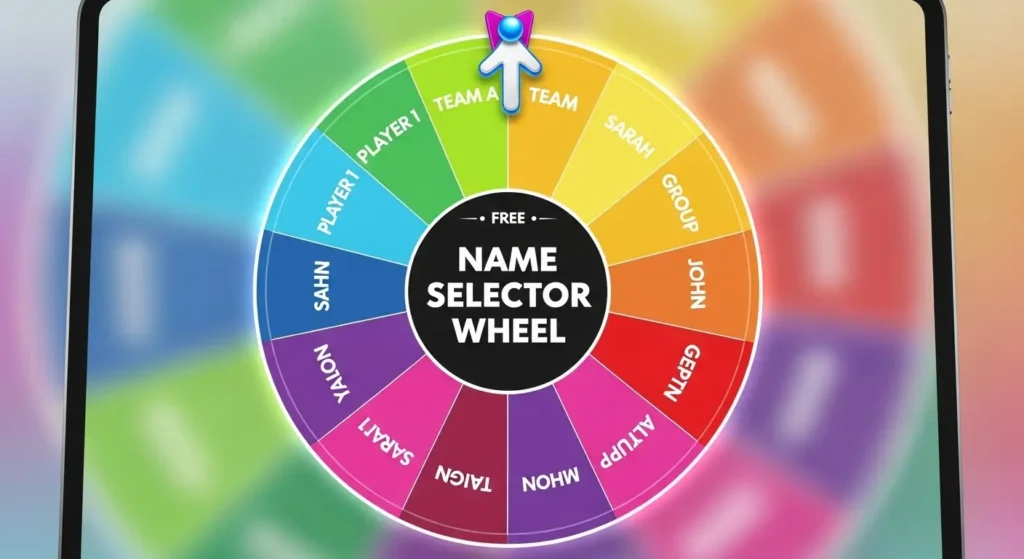
A Free Name Selector makes group decisions easier, faster, and more enjoyable. When you need to pick a player, choose a team leader, select a giveaway winner, assign a turn, or decide who goes first in a game, a name selector wheel can do the job in a fair and visual way. Instead of choosing manually or spending time discussing who should be selected, you can add names, spin the wheel, and let the result appear clearly on the screen.
This guide explains how a Free Name Selector works, why it is useful for groups and games, and how you can use it for classrooms, parties, team activities, family fun, online contests, and everyday random decisions. The article is written in simple language so beginners can understand each step without confusion.
What Is a Free Name Selector?
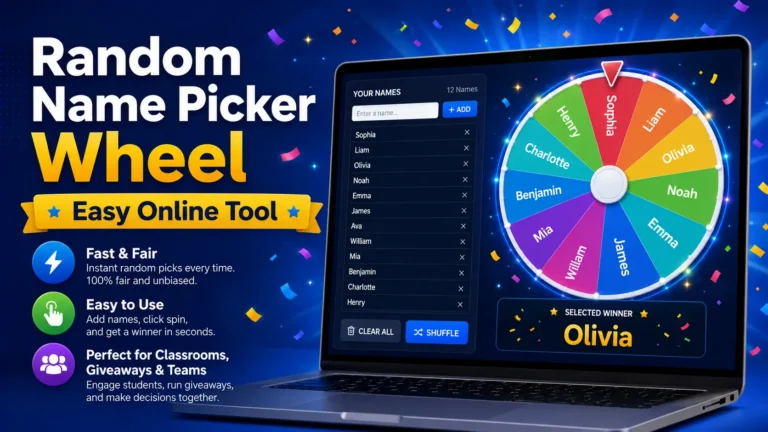
A Free Name Selector is an online random picker that helps you choose one name from a list. You enter names into the tool, and each name becomes part of a digital wheel. When the wheel spins, it stops on one random name.
The tool is often used for games, group activities, giveaways, classroom tasks, team meetings, and party events. It gives everyone a visible chance and makes the selection process more exciting than reading from a list or choosing by hand.
A name selector wheel can include more than names. You can also add tasks, prizes, topics, teams, questions, numbers, or choices. This flexibility makes it useful for many situations where a random result is needed.
Why Groups and Games Need a Name Selector Wheel
Groups often need a fair way to choose someone. In games, players may argue about who goes first. In teams, people may wait for someone else to volunteer. In classrooms, the same students may answer again and again. A Free Name Selector helps solve these small problems.
It removes pressure from the host, teacher, leader, or parent. The wheel makes the choice, so the person in charge does not have to pick directly. This helps reduce bias and keeps the process friendly.
It also adds fun. Watching the wheel spin creates a short moment of suspense. People pay attention because they want to see where it stops. This makes simple decisions feel more interactive.
Main Benefits for Users
- It saves time during group activities
- It makes random selection more visible
- It helps avoid personal bias
- It adds excitement to games and events
- It works for names, teams, prizes, and tasks
- It can be used on mobile, tablet, or desktop
- It keeps groups organized and engaged
These benefits make the tool useful for both casual fun and planned activities.
How a Name Selector Wheel Works
A Free Name Selector wheel works by turning every entry into a section of a spinning wheel. When you press the spin button, the wheel moves, slows down, and stops on one entry. The selected name is shown as the result.
Most tools are easy to use. You do not need to install software or learn complex settings. You simply type or paste your list, check it, and start the spin.
| Step | What You Do | Why It Matters |
|---|---|---|
| 1 | Add names or entries | Builds the wheel list |
| 2 | Review the list | Helps remove mistakes |
| 3 | Spin the wheel | Starts the random selection |
| 4 | Read the result | Shows the chosen name |
| 5 | Keep or remove the winner | Helps manage more rounds |
This simple process makes the wheel friendly for beginners, teachers, hosts, parents, and team leaders.
Best Uses of a Name Selector Wheel for Games
A Free Name Selector can make games smoother and more enjoyable. It helps decide turns, players, teams, challenges, and rewards without long discussion.
Choosing Who Goes First
Many games start with one question: who goes first? A random wheel solves this quickly. Add all player names and spin once. The selected person starts the game.
This works well for board games, card games, classroom games, trivia nights, party games, and family activities.
Picking Players for Rounds
Some games need players to take turns. Instead of following the same order every time, you can use the wheel to choose the next player. This keeps the game fresh and unpredictable.
For example, in a quiz game, the wheel can pick the next player to answer. In a drawing game, it can choose who draws next. In a challenge game, it can select who takes the next turn.
Selecting Teams
A wheel can help create teams in a fun way. Add all player names and spin to assign each person to a team. You can place the first selected person in Team A, the next in Team B, and continue until everyone has a team.
This method is useful when you want the team selection to feel random and fair.
Choosing Game Challenges
The wheel does not need to include only names. You can add challenges, actions, questions, or tasks. A player can spin the wheel and complete the selected challenge.
Keep challenges safe, respectful, and suitable for the group. The goal should be fun, not embarrassment.
Using a Random Name Wheel for Group Activities
A Free Name Selector is not only for games. It can help with school groups, office teams, training sessions, clubs, family activities, and community events.
Classroom Groups
Teachers can use a name selector wheel to pick students for questions, reading turns, classroom jobs, or group leaders. This supports fair participation and helps students stay focused.
A teacher can also add topics, vocabulary words, or quiz questions to the wheel. This makes review sessions more active and less predictable.
Office Teams
Team leaders can use the wheel for light meeting tasks. It can choose the first speaker, decide presentation order, select an icebreaker participant, or pick a discussion topic.
The tool should be used for simple choices only. Important work decisions should still be based on skill, availability, responsibility, and clear planning.
Family Activities
Families can use the wheel to choose weekend games, movie options, chores, dinner ideas, or who gets the first turn. It can reduce arguments and make small decisions feel playful.
Clubs and Events
Clubs, workshops, and event groups can use the wheel to pick volunteers, assign turns, select activity topics, or choose winners for small prizes. It keeps the event moving and gives everyone a visible chance.
Using a Name Selector for Giveaways and Contests
A Free Name Selector can be helpful for giveaways when a host needs to choose a winner from a list of valid entries. The visual wheel makes the draw more engaging for participants because they can see the process.
Before using it for a giveaway, prepare the list carefully. Include only eligible participants and follow the rules you announced before the contest.
Giveaway Preparation Checklist
| Checklist Item | Why It Helps |
|---|---|
| Confirm valid entries | Keeps the draw fair |
| Remove unwanted duplicates | Prevents extra chances by mistake |
| Check usernames or names | Avoids winner confusion |
| Explain the rules | Builds trust with participants |
| Show the spin clearly | Makes the result visible |
| Record the result if needed | Helps with transparency |
A clean list is important because the wheel can only select from the names you provide.
Tips for Fair Random Selection
Fairness depends on both the tool and the way you use it. A random picker works best when the list is accurate and the rules are clear.
Check Every Entry
Review the full list before spinning. Make sure all valid names are included and all invalid names are removed. This step is especially important for classrooms, team activities, and giveaways.
Remove Accidental Duplicates
If a name appears twice, that person may have a higher chance of being selected. Remove duplicate entries unless your rules clearly allow bonus chances.
Explain Rules Before Spinning
Tell everyone how the selection will work. Explain whether the chosen name will be removed after selection, whether repeat winners are allowed, and what happens if the selected person is unavailable.
Use Clear Labels
If two people have the same name, add an initial, number, or short group label. This makes the result easier to understand.
Common Mistakes to Avoid
Even simple tools can cause confusion if the setup is rushed. Avoid these mistakes for a smoother experience.
Spinning Before Reviewing the List
Do not spin until the list is checked. A missing name or duplicate entry can make the result feel unfair.
Changing Rules After the Result
Rules should be set before the wheel is used. If rules change after a result appears, people may lose trust in the process.
Using Private Information
Do not add phone numbers, addresses, private emails, or sensitive details. First names, nicknames, initials, or usernames are usually enough.
Using Random Selection for Serious Decisions
A name selector wheel is best for fun, fair, and equal-choice situations. It should not be used for decisions involving safety, money, grades, employment, or personal judgment.
Features to Look for in a Name Selector Tool
A good Free Name Selector should be simple, fast, and easy to use on any device. Beginners should be able to add names and spin the wheel without needing a long guide.
Easy Name Entry
The tool should let you type, paste, edit, and remove names quickly. This is useful when you have a long group list.
Clear Spin Button
The spin button should be easy to find. The result should appear clearly after the wheel stops.
Remove Winner Option
For multiple rounds, a remove-winner feature is helpful. It lets you remove the selected name before the next spin so everyone gets a chance.
Shuffle and Reset Options
Shuffle can mix the list, while reset can prepare the wheel for a new activity. These features make the tool more flexible.
Mobile-Friendly Design
Many people use phones or tablets during events and games. A good wheel should be readable and easy to control on smaller screens.
Online Wheel vs Other Selection Methods
A digital wheel is not the only way to choose a name, but it is one of the most visual and engaging methods.
| Method | Best For | Main Benefit | Possible Limit |
|---|---|---|---|
| Online name wheel | Games, groups, giveaways | Fast and visual | Needs a device |
| Paper draw | Small offline groups | Simple and physical | Takes preparation |
| Manual choice | Personal decisions | No setup needed | Can feel biased |
| Number generator | Numbered lists | Quick output | Less engaging |
| Rotation list | Regular duties | Predictable order | Not random |
For group activities and games, the wheel often gives the best mix of fairness, speed, and fun.
Practical Examples for Beginners
If you are new to online picker tools, these examples can help you understand how to use them in real life.
| Situation | What to Add | How to Use the Result |
|---|---|---|
| Party game | Player names | Choose who plays first |
| Classroom quiz | Student names | Pick who answers |
| Team meeting | Team member names | Decide speaking order |
| Giveaway | Participant usernames | Select a winner |
| Family night | Movie titles | Choose what to watch |
| Club activity | Task names | Pick the next activity |
These examples show how one simple wheel can support many different activities.
Safety and Privacy Tips
Privacy matters, even during simple games. Only add information that is safe to display in front of others.
For children, use first names, initials, or classroom labels. For online contests, usernames may be better than full legal names. For workplace activities, use display names instead of private contact details.
If the wheel will be shown on a projector or livestream, check the list carefully before sharing your screen.
When Should You Use a Free Name Selector?
A Free Name Selector is best when the choice should be random, fair, and easy to show. It works well when every entry has an equal chance and the result does not need deep judgment.
You can use it when you need to:
- Pick a random player
- Choose a group leader
- Select a giveaway winner
- Decide game turns
- Assign a light task
- Pick a classroom participant
- Choose a discussion topic
- Add fun to family activities
It is less suitable for serious decisions that require experience, planning, private review, or expert judgment.
FAQ About Free Name Selector Wheels
What is a Free Name Selector used for?
A Free Name Selector is used to choose names, players, winners, teams, tasks, or topics randomly. It is helpful for games, groups, classrooms, meetings, giveaways, and family activities.
Is a Free Name Selector fair for games?
Yes, it can be fair when every valid name is added once and the list is checked before spinning. Clear rules also help everyone understand and trust the result.
Can I use a Free Name Selector for giveaways?
Yes, you can use it for giveaways if the participant list is accurate and follows the entry rules. Remove invalid entries and show the result clearly for better transparency.
How do I prepare names for a Free Name Selector?
Add only valid names, check spellings, remove unwanted duplicates, and use clear labels. If someone is not part of the activity, remove their name before spinning.
Can a Free Name Selector be used on mobile?
Yes, many online name selector wheels work on phones, tablets, laptops, and desktops. A mobile-friendly wheel makes it easier to run games and group activities anywhere.
Conclusion
A Free Name Selector is a simple and useful tool for groups, games, classrooms, family activities, and giveaways. It helps make random choices faster, fairer, and more engaging by giving every valid name a clear chance on the wheel.
For the best experience, prepare your list carefully, remove duplicate entries, set clear rules before spinning, and display the result openly. When used correctly, a name selector wheel can save time, reduce confusion, and make every group decision feel smooth, transparent, and fun.