Random Name Picker Wheel for Easy Decisions
A Picker Wheel is a simple and helpful tool for making quick choices when you have many names, options, or ideas in front of you. Instead of spending time debating, you can enter your choices, spin the wheel, and let the result guide the next step. This article explains how a random name picker works, why it is useful, and how beginners can use it for games, classrooms, giveaways, teams, events, and daily decisions.
Whether you are a teacher choosing a student, a team leader assigning turns, a parent planning a fun activity, or a creator running a small giveaway, this guide will help you understand the best ways to use a Picker Wheel with confidence.
What Is a Random Name Picker?
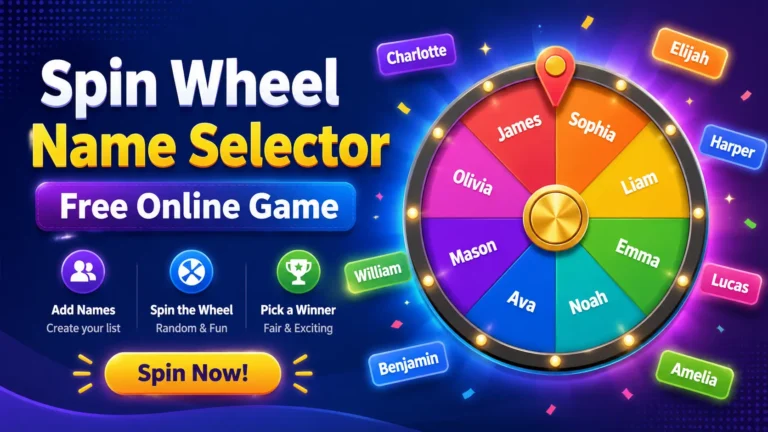
A random name picker is an online tool that selects one name or option from a list. You add names, tasks, prizes, topics, or choices, then spin the wheel. The tool picks one result in a fun and visual way.
The main idea is simple. You do not need to install software, create an account, or learn a complex system. You only need a list of options and a reason to choose one fairly.
A Picker Wheel is popular because it feels more exciting than drawing names from a box. The spinning motion builds suspense, and the final result feels clear and easy to accept.
Why Random Selection Helps With Easy Decisions
People often waste time on small decisions. Choosing who goes first, what game to play, which task to start, or which winner to announce can take longer than expected. Random selection removes pressure from the decision-making process.
Instead of asking everyone to agree, you can let the wheel decide. This makes the process faster, fairer, and more enjoyable.
A Picker Wheel is especially useful when every option has an equal chance. It gives each name or choice the same opportunity, which helps reduce arguments and confusion.
How a Random Name Picker Wheel Works
A random name picker wheel works through a simple selection process. You type or paste names into the tool. Each name becomes a section on the wheel. When you spin it, the wheel rotates and stops on one section.
The selected section becomes the result.
Most tools follow these basic steps:
- Add names or options.
- Review the list for mistakes.
- Click the spin button.
- Wait for the wheel to stop.
- Use the selected result.
A Picker Wheel may also include extra features such as sound effects, color segments, result history, shuffle options, and remove-after-pick settings.
Best Uses for a Random Name Picker
A random name picker can be used in many situations. It is not limited to names only. You can use it for choices, activities, rewards, topics, teams, or tasks.
Classroom Activities
Teachers can use a Picker Wheel to choose students fairly during lessons. It helps avoid picking the same students again and again. It also adds fun to classroom participation.
Common classroom uses include:
- Choosing who answers a question.
- Selecting reading turns.
- Picking group leaders.
- Assigning presentation order.
- Choosing classroom games.
- Selecting discussion topics.
Students often enjoy the spinning effect because it feels like a game. It can make ordinary classroom tasks more engaging.
Team and Office Decisions
Teams can use a random wheel to make small decisions quickly. In meetings, it can help choose who presents first, who starts a discussion, or which topic gets reviewed.
Workplace examples include:
- Choosing a meeting speaker.
- Assigning simple tasks.
- Picking brainstorming topics.
- Selecting team-building activities.
- Deciding lunch options.
- Choosing review order.
A Picker Wheel can keep decisions neutral, especially when no option is clearly better than another.
Games and Fun Challenges
Random wheels are great for parties, family games, and online challenges. You can add funny tasks, dares, rewards, questions, or mini-games.
Examples include:
- Truth or dare prompts.
- Party game turns.
- Family activity choices.
- Fitness challenges.
- Trivia categories.
- Weekend plans.
The wheel creates excitement because nobody knows where it will stop. That small moment of suspense makes the activity more entertaining.
Giveaways and Winner Selection
Creators, small businesses, and community managers often need to choose winners from a list of names. A random name picker makes this process more transparent and simple.
A Picker Wheel can be used for:
- Social media giveaways.
- Classroom rewards.
- Club prizes.
- Event raffles.
- Small business promotions.
- Online community contests.
For better trust, you can record the spin or announce the list before spinning. This shows that every participant was included.
Benefits of Using a Random Name Picker
Random selection has many practical benefits. It saves time, reduces pressure, and makes choosing feel fair.
| Benefit | How It Helps |
|---|---|
| Saves time | The decision is made in seconds. |
| Feels fair | Every name gets an equal chance. |
| Easy to use | Beginners can use it without training. |
| Adds fun | The spinning wheel makes selection exciting. |
| Reduces arguments | The result comes from the tool, not one person. |
| Works anywhere | It can be used at school, home, work, or events. |
A Picker Wheel is valuable because it turns a normal decision into a simple, visual, and enjoyable process.
Random Name Picker vs Manual Selection
Manual selection can work, but it is not always fair or fast. People may forget names, repeat choices, or show unintentional bias. A random tool helps avoid these problems.
| Method | Best For | Main Limit |
|---|---|---|
| Manual choice | Personal preference | Can feel unfair |
| Drawing paper slips | Small groups | Takes setup time |
| Asking the group | Shared decisions | Can lead to debate |
| Random wheel | Fast and fair selection | Needs a device |
A Picker Wheel is often the best option when you want a fair result without long discussion.
How to Use a Random Name Picker Step by Step
Using a random name picker is easy. You do not need technical skills. The process works well for beginners and experienced users.
Step 1: Prepare Your List
Start by writing all names or choices clearly. Check spelling and remove duplicates. If someone appears twice by mistake, that person may get an unfair advantage.
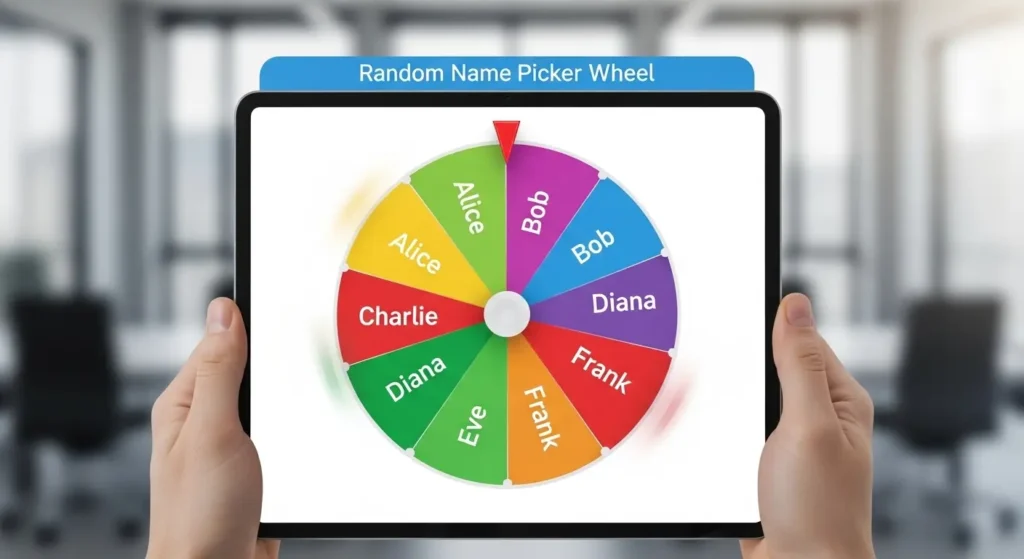
For example, if you are choosing a student, add each student once. If you are choosing an activity, add each activity once.
Step 2: Add the Names to the Tool
Copy your list and paste it into the input area. Many tools allow one name per line. Some tools may also let you add entries one by one.
A clean list helps the Picker Wheel display better and keeps the result accurate.
Step 3: Review Before Spinning
Before you spin, look at the wheel and make sure every entry is included. This step is important for giveaways, classrooms, and public selections.
Check for:
- Missing names.
- Duplicate names.
- Spelling errors.
- Empty entries.
- Wrong options.
Step 4: Spin the Wheel
Click the spin button and wait for the result. The wheel will rotate, slow down, and stop on one option.
The selected name is your result. You can use it immediately or spin again if your activity needs more than one choice.
Step 5: Save or Remove the Result
Some users want to keep the selected name in the wheel. Others want to remove it after selection so it cannot be chosen again.
Remove-after-pick is useful for:
- Choosing presentation order.
- Picking multiple winners.
- Assigning unique tasks.
- Selecting turns without repeats.
A Picker Wheel with result history can also help you track previous choices.
Tips for Getting Fair Results
Fairness matters when people are involved. A random wheel is helpful, but you should still prepare it properly.
Use these tips for better results:
- Add every valid name once.
- Do not change the list after announcing the spin.
- Remove duplicate entries unless extra chances are allowed.
- Explain the rules before spinning.
- Use the same process for everyone.
- Keep the result visible when possible.
A Picker Wheel works best when users understand the rules before the spin begins.
Common Mistakes to Avoid
Beginners sometimes make small mistakes that affect the result. These errors are easy to fix if you know what to check.
Avoid these mistakes:
- Adding the same name more than once by accident.
- Forgetting to include someone.
- Using unclear labels.
- Spinning before reviewing the list.
- Changing rules after the result appears.
- Using random selection when skill-based judgment is needed.
A Picker Wheel should be used for fair random decisions, not for situations where careful evaluation is required.
Best Features to Look For
Not all random picker tools are the same. Some are very basic, while others include helpful controls.
Useful features include:
| Feature | Why It Matters |
|---|---|
| Easy entry editing | Helps you update names quickly. |
| Shuffle option | Mixes entries before spinning. |
| Remove-after-pick | Prevents repeated winners. |
| Result history | Tracks previous selections. |
| Custom colors | Makes the wheel more attractive. |
| Sound effects | Adds excitement for games. |
| Mobile support | Works well on phones and tablets. |
A Picker Wheel with these features can support both casual and professional use.
Practical Examples for Daily Use
Random wheels are useful in everyday life. You can use them for decisions that do not need serious analysis but still need a clear answer.
Choosing What to Eat
If your family or friends cannot decide what to eat, add options like pizza, burgers, pasta, rice, salad, or tacos. Spin the wheel and follow the result.
This keeps the decision fun instead of frustrating.
Picking Weekend Activities
Add activity ideas such as movie night, park walk, board games, shopping, cooking, or visiting relatives. The wheel can help choose one without a long debate.
Assigning Household Tasks
A Picker Wheel can help assign chores fairly. Add names or tasks, spin, and match the result. This can make routine work feel less personal and more balanced.
Planning Study Topics
Students can add chapters, subjects, or revision topics. Spinning the wheel can help them decide what to study first when they feel stuck.
Using a Random Picker for Groups
Group decisions can become difficult when everyone has a different opinion. A random tool can keep things simple.
For groups, it is best to explain the rules first. Tell everyone what the wheel is choosing and whether the result is final. This avoids confusion after the spin.
A Picker Wheel can be useful for:
- Clubs.
- Classrooms.
- Online groups.
- Family events.
- Team meetings.
- Community activities.
When people agree to random selection in advance, they are more likely to accept the result.
When You Should Not Use Random Selection
Random tools are useful, but they are not right for every decision. Some choices need careful thought, experience, or responsibility.
Do not use random selection for:
- Serious financial decisions.
- Medical choices.
- Safety-related actions.
- Legal matters.
- Hiring or grading decisions.
- Situations where fairness requires review.
A Picker Wheel is best for simple, low-risk choices where every option is acceptable.
How to Make Random Selection More Fun
Random selection does not have to feel boring. You can make it more enjoyable with small creative touches.
Try these ideas:
- Use colorful wheel segments.
- Add fun labels.
- Create themed wheels.
- Use sound effects during spins.
- Show the result with a pop-up.
- Let users celebrate the winner.
- Create different wheels for different activities.
A random picker becomes more memorable when the experience feels playful and easy.
Simple Ideas for Custom Wheels
You can create many types of wheels depending on your needs.
| Wheel Type | Example Entries |
|---|---|
| Name wheel | Student names, team members, players |
| Food wheel | Pizza, noodles, burgers, rice |
| Task wheel | Cleaning, writing, reading, reviewing |
| Game wheel | Trivia, charades, puzzles, and drawing |
| Prize wheel | Discount, badge, gift card, bonus |
| Topic wheel | History, science, math, sports |
A random picker can be changed anytime, which makes it useful for different situations.
How to Keep Your Wheel Organized
If your list is long, organization becomes important. A messy list can lead to mistakes.
Use these tips:
- Keep one entry per line.
- Use short names or labels.
- Remove extra spaces.
- Group similar options before adding them.
- Save common lists for future use.
- Check the final wheel before spinning.
A random picker with clean entries looks better and works more smoothly.
FAQ
What is a Picker Wheel used for?
A Picker Wheel is used to choose a random name, option, task, or winner from a list. It is helpful for classrooms, games, giveaways, meetings, and daily decisions where every option has a fair chance.
Is a Picker Wheel fair for choosing names?
Yes, it can be fair when every name is added once and the list is checked before spinning. It helps reduce personal bias and makes the selection process clear for everyone.
Can I use a Picker Wheel for giveaways?
Yes, you can use it for small giveaways, raffles, and winner selection. For better trust, review the participant list first and make the final spin visible to your audience.
Can a Picker Wheel choose more than one winner?
Yes, many tools allow multiple spins. If you do not want repeat winners, use a remove-after-pick option or manually remove each selected name before spinning again.
Why should beginners use a Picker Wheel?
Beginners should use it because it is simple, fast, and easy to understand. You only add your options, spin the wheel, and use the result without complicated steps.
Conclusion
A Picker Wheel makes everyday decisions easier, faster, and more enjoyable. Instead of spending extra time choosing names, tasks, winners, or activities, you can add your options, spin the wheel, and get a fair result in seconds. It works well for classrooms, games, giveaways, team activities, and simple daily choices.
The best part is that anyone can use it without technical skills. With a clean list, clear rules, and fair entries, a random name picker wheel can turn small decisions into a smooth and fun experience for everyone involved.